
When the first cold snap arrives, it’s time to give your phone a seasonal makeover. This page collects every winter and Christmas capybara wallpaper on CapybaraMag in one place: cozy cartoon designs in our popular capibara animada cute style, Japanese hot-spring scenes, and realistic snowy landscapes. Every wallpaper is free, made by us, and comes as a full-size 4K phone wallpaper (2160×3840, 9:16) that looks sharp on iPhone, Samsung Galaxy, Pixel and most other modern phones.
Tap any picture below to open its download page, then use the Download button there to save the full-resolution file. If you’re looking for wallpapers for the rest of the year, browse the main capybara wallpaper library.
How We Picked These Winter Wallpapers
We sorted our winter designs into four moods so you can find the right one quickly:
- Christmas cartoon wallpapers – Santa hats, presents, gingerbread and snowmen for December.
- Cozy winter wallpapers – fireplaces, knitting, cocoa and northern lights that work from November all the way to March.
- Hot-spring capybaras – inspired by Japan’s famous winter capybara baths.
- Realistic snowy nature – calmer, more grown-up backgrounds for people who prefer photos over cartoons.
All of them follow the same design rules: the capybara sits in the lower-middle part of the image (so your clock and notifications don’t cover its face), there’s plenty of soft background space for app icons, and the colors are warm enough to feel festive without being too busy.
Christmas Capybara Wallpapers
These are our most festive designs—made for the weeks between December 1 and Christmas Day. They’re a fun way to count down the days, especially if you pair them with our 24 Days of Capybara advent facts.

Cozy Christmas Tree 4K Phone Wallpaper
A capybara in a Santa hat hugging a wrapped present beside a glowing, ornament-covered tree. Our most “Christmas morning” design.

Gingerbread Baking Christmas 4K Phone Wallpaper
Chef-hat capybara piping icing onto gingerbread cookies in a pastel kitchen—perfect for baking season.

Nutcracker Ballerina 4K Phone Wallpaper
A Nutcracker-inspired ballerina capybara for fans of the classic December ballet.

Snow Globe Workshop 4K Phone Wallpaper
Santa’s-workshop vibes: a capybara in a pink hat making snow globes in front of shelves full of them.

Snowman Winter Village 4K Phone Wallpaper
A capybara in a green sweater and earmuffs building a snowman in a lit-up winter village.

Winter Ice Skating 4K Phone Wallpaper
Pom-pom hat, red scarf and a frozen lake at pink sunset—cheerful and very wintery.
Cozy Winter Capybara Wallpapers (November to March)
Not everyone wants Christmas trees on their phone until February. These designs are about the feeling of winter—blankets, scarves, warm drinks and snowy evenings—so you can keep them all season long.

Fireside Hot Cocoa 4K Phone Wallpaper
Our coziest wallpaper: a capybara wrapped in a knitted scarf with a book and a mug of cocoa by the fire.

Knitting a Cozy Scarf 4K Phone Wallpaper
A capybara knitting a scarf—ideal for crafty people and anyone who lives in sweaters from November to March.

Northern Lights Camping 4K Phone Wallpaper
Camping under swirling green and purple northern lights, warm in a pink beanie.

Snowy Mountain Train Ride 4K Phone Wallpaper
A capybara gazing out of a train window at snowy mountains—great for holiday travelers.

Snowy Forest 4K Phone Wallpaper
A capybara in a red scarf in a quiet snowy forest with falling snowflakes; works well as a lock screen.

New Year Fireworks 4K Phone Wallpaper
Party hat, sparkler and fireworks over the city: swap this one in for New Year’s Eve.
Hot-Spring Capybara Wallpapers
Every winter, several zoos in Japan run warm outdoor baths for their capybaras, and photos of sleepy capybaras soaking with citrus fruit go viral every year. Read the full story in our capybara yuzu bath article, or plan a visit with our capybara hot spring guide for Japan. Then bring the onsen to your lock screen:

Yuzu Hot Spring Bath 4K Phone Wallpaper
A kawaii capybara soaking in a steaming bath full of yuzu, with one balanced on its head while snow falls.

Hot Spring Yuzu 4K Phone Wallpaper
A dreamy pink hot-spring scene with a citrus balanced on the capybara’s head, inspired by Japan’s winter capybara baths.
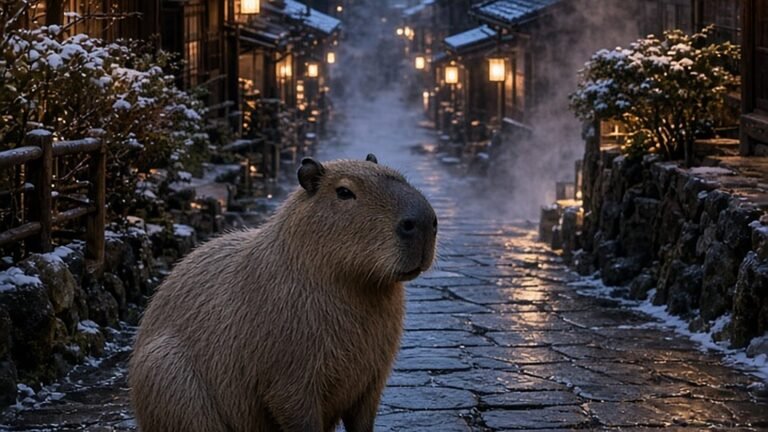
Snowy Onsen Town Lanterns
A more realistic scene: a capybara in a snowy Japanese hot-spring town glowing with lanterns.
Realistic Snowy Capybara Wallpapers
Capybaras are tropical animals, so you won’t see them in deep snow in the wild—these scenes are artistic and dreamy rather than documentary. They’re perfect if you want something calmer than a cartoon. Want to know where real capybaras live and how they handle cooler weather? Start with our capybara facts guide.
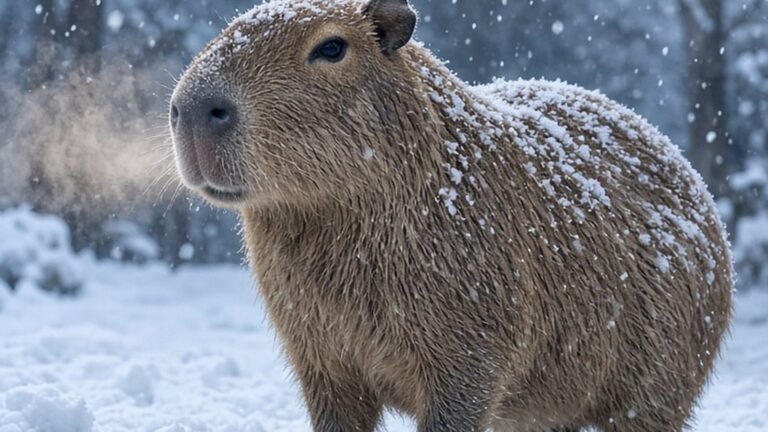
Capybara in Falling Snow
A realistic capybara standing calmly in falling snow in a winter park.
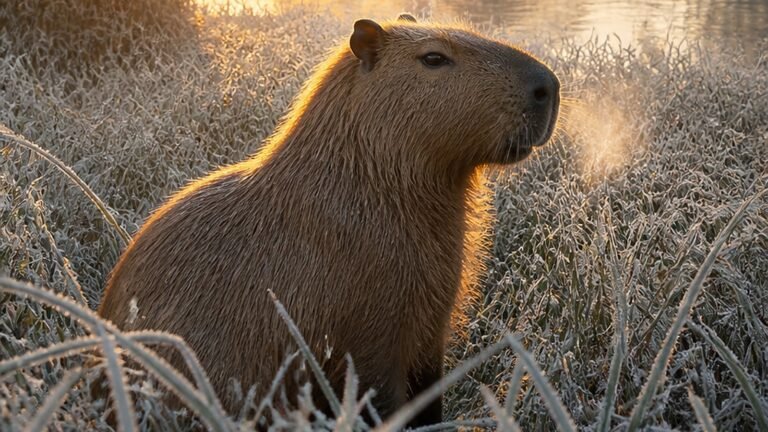
Frosty Meadow Sunrise Nature Phone Background
Frost-covered grass and a soft pink sunrise; a calm, minimal background that keeps app icons readable.
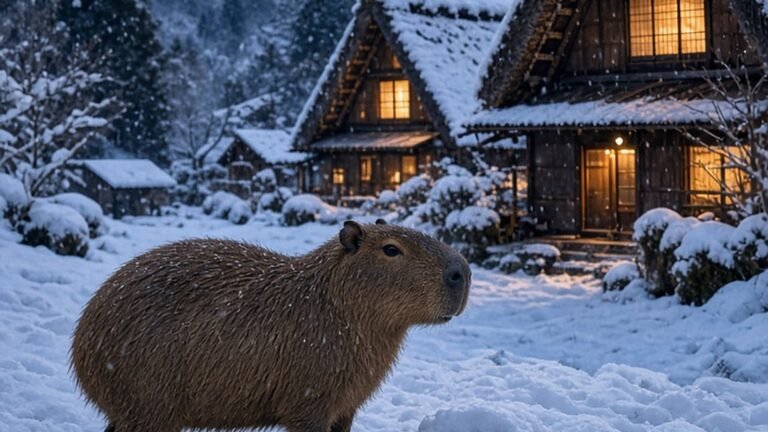
Snowy Mountain Village at Blue Hour
A capybara in a snowy mountain village at blue hour, with warm light glowing from the chalet windows.
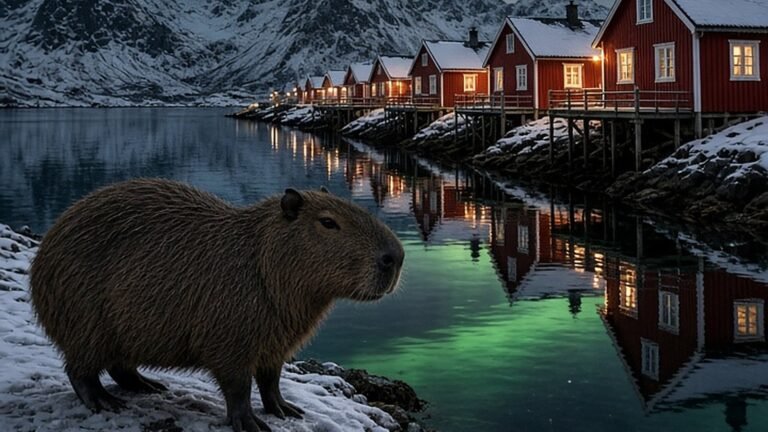
Lofoten Aurora Fishing Village
Northern lights over a Lofoten-style fishing village, with a capybara on the shore.

Glacier Lagoon at Pink Dawn
A capybara on a mossy rock beside icebergs in a glacier lagoon at pink dawn—cool tones for a clean home screen.
How to Download a Wallpaper
- Tap the wallpaper image or title above to open its download page.
- Scroll to the Download button below the preview and tap it.
- On iPhone, tap the share icon and choose Save Image; on Android, the file goes to your Downloads folder or Gallery.
- If your browser opens the picture instead of downloading it, long-press the image and choose Save image or Add to Photos.
Tip: download over Wi-Fi. A full 4K wallpaper is a large file, and saving several at once on mobile data can take a while.
How to Set a Wallpaper on iPhone and Android
iPhone (iOS)
- Open Photos and select the capybara wallpaper.
- Tap the share icon, then Use as Wallpaper.
- Pinch to adjust the crop so the capybara sits below the clock, then tap Add and choose to set it as your lock screen, home screen, or both.
- Turn on the depth effect if available—on some designs the clock can tuck neatly behind the capybara’s head.
Android (Samsung, Pixel and others)
- Open Gallery or Google Photos and select the image.
- Tap the three-dot menu and choose Set as wallpaper (Samsung) or Use as → Wallpaper (Pixel).
- Choose lock screen, home screen, or both, and adjust the crop.
- Tip: on Pixel phones, Material You will pick up the warm reds and golds of the Christmas designs for your system colors.
Want a Desktop or Tablet Version?
These new winter wallpapers are designed for phones (portrait 9:16). For computers, browse our HD capybara desktop wallpapers (1920×1080); for older or smaller phones, the 1440×2560 phone wallpaper collection has lighter files. Tablets in portrait mode handle the 4K phone files well—just zoom out slightly when you set them.
A Simple Seasonal Rotation Plan
Changing your wallpaper every couple of weeks keeps your phone feeling fresh. Here’s an easy plan using the designs above:
- Mid-November: Fireside Hot Cocoa or Knitting a Cozy Scarf.
- December 1–14: Snowman Winter Village or Snow Globe Workshop.
- December 15–25: Cozy Christmas Tree or Gingerbread Baking.
- Around the winter solstice (Dec 21–22): Yuzu Hot Spring Bath, to match Japan’s yuzu-bath tradition.
- December 26–31: New Year Fireworks.
- January to March: Northern Lights Camping, Capybara in Falling Snow or Glacier Lagoon at Pink Dawn.
More Capybara Holiday Fun
Getting into the holiday spirit? Pair your new wallpaper with these:
- Capybara Christmas gifts and decor – ornaments, sweaters and matching pajamas.
- Capybara stocking stuffers under $10 – keychains, squishies and stickers.
- Capybara Christmas coloring pages – free printable PDFs plus an advent activity sheet.
- Free capybara crochet pattern – make a handmade capybara ornament.
- Capybara gift guide and capybara gifts for kids – for everyone on your list.
- Best capybara plush – the softest present under the tree.
Frequently Asked Questions
Are these capybara wallpapers really free?
Yes. All wallpapers on CapybaraMag are free to download for personal use on your own phone, tablet or computer. Please don’t resell them or re-upload them as your own; if you share one on social media, a link back to CapybaraMag is appreciated.
What resolution are they?
The winter collection is made at 2160×3840 pixels (4K UHD in portrait 9:16), which is larger than the screen of nearly every phone, so the image stays crisp when your phone crops or zooms it.
Will they fit my iPhone or Samsung Galaxy?
Yes. Modern phones are taller than 16:9, so your phone will crop a little from the sides. We keep the capybara near the center so nothing important is lost.
Why does the download look smaller in my browser?
Some browsers and image-optimization services show a lighter preview. Use the Download button on each wallpaper’s page to save the file instead of screenshotting the preview.
Do capybaras really live in the snow?
No—wild capybaras live in warm, wet parts of South America. In zoos in colder countries they have heated shelters, and in Japan some zoos give them warm baths in winter. The snowy scenes here are just for fun.
Will you add more winter wallpapers?
Yes. We publish new capybara wallpapers regularly and will keep adding seasonal designs to this page. Check the wallpaper library or the capibara animada cute collection for the newest ones.